(七)把 Python 数据交给 Jinja
先不用数据库,用两本已经会写的字典生成阅读列表。
# 项目文件:demos/template_demo.py
# 把用户文本传入模板变量,观察自动转义怎样把标签作为普通文字显示。
from flask import Flask, render_template

app = Flask(__name__)


@app.get("/")
def index():
    books = [
        {"title": "Python 入门", "finished": False},
        {"title": "NumPy 实践", "finished": True},
    ]
    return render_template("sample.html", username="reader", books=books)


if __name__ == "__main__":
    page = app.test_client().get("/")
    print(page.status_code)
    print("Python 入门" in page.text, "已读" in page.text)
<!-- 项目文件:demos/templates/sample.html -->
<!doctype html>
<html lang="zh-CN"><meta charset="utf-8"><title>阅读列表</title>
<h1>{{ username }} 的书架</h1>
<ul>
{% for book in books %}
<li>{{ loop.index }}. {{ book.title }}:{% if book.finished %}已读{% else %}未读{% endif %}</li>
{% else %}
<li>还没有保存书籍。</li>
{% endfor %}
</ul>
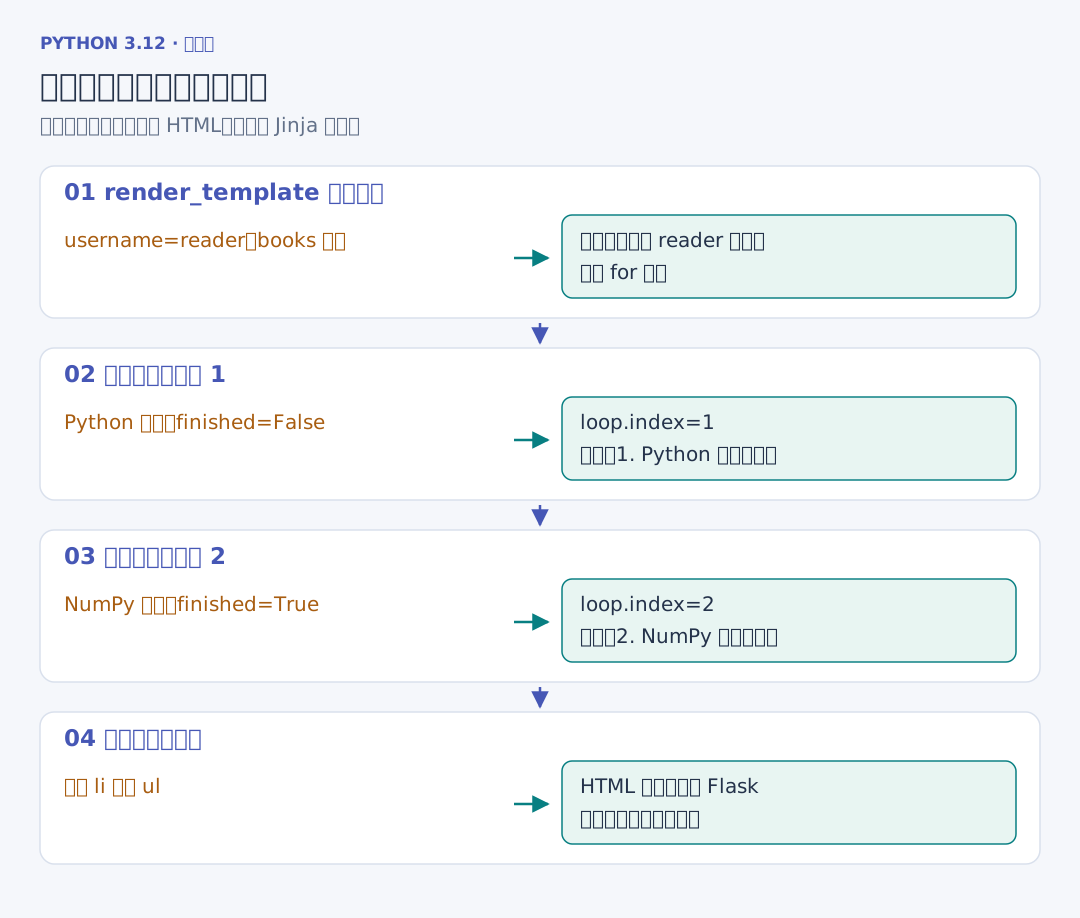
</html>render_template("sample.html", username=..., books=...) 到当前应用的 templates 目录查找文件,把参数放进模板上下文。Jinja 展开循环和判断后得到完整 HTML,浏览器收到的是展开后的页面,不会再运行这些模板语句。
| 模板写法 | 在这份页面中的动作 |
|---|---|
{{ username }} |
输出当前变量 |
{% for book in books %} |
逐本处理列表 |
book.title |
读取字典中的 title 键 |
{% if book.finished %} |
根据布尔值选择已读或未读 |
loop.index |
取得从 1 开始的循环编号 |
for 后的 else |
列表没有任何项时显示提示 |
Python 传入两本书,模板先输出 reader,第一轮得到“1. Python 入门:未读”,第二轮得到“2. NumPy 实践:已读”,最终成为两个 <li>。这里的 book.title 是 Jinja 对字典与属性的查找写法,Python 代码本身仍然用 book["title"] 读取这个字典。
{{ ... }} 负责输出,{% ... %} 负责控制,{# ... #} 是不会进入最终 HTML 的模板注释。.html 模板中的文本默认自动转义,后面会用带尖括号的真实书名核对。模板语法可查 Jinja 模板文档。