(十三)用真实 SQLite 检查事务与重新打开
1. 查询结果保留原来那份手算
# 项目文件:quality_project/tests/integration/test_library.py
# 两条 Python 日志只计一次;两个标签不能把 55 放大为 110。
import sqlite3
from datetime import date

import pytest

from bookdata.library import Library
from bookdata.models import Book


def test_tag_filter_does_not_double_total(library):
    library.record_reading("Python", date(2026, 10, 19), 20)
    library.record_reading("Python", date(2026, 10, 20), 35)
    rows = library.search("基础")
    assert [(row["title"], row["total"]) for row in rows] == [("Python", 55)]


def test_reimport_preserves_id_and_logs(library):
    original_id = library.search()[0]["id"]
    library.record_reading("Python", date(2026, 10, 19), 20)
    library.import_books([Book("Python", True, ["更新标签"])])
    row = library.search("更新标签")[0]
    assert (row["id"], row["finished"], row["total"]) == (original_id, 1, 20)
这两项分别保留了重复求和、UPSERT 不更换书籍编号的要求。图中先写日志,再筛选标签,最后比较一行结果;不是只看“查询没有抛异常”。
2. 检查失败后的整体状态
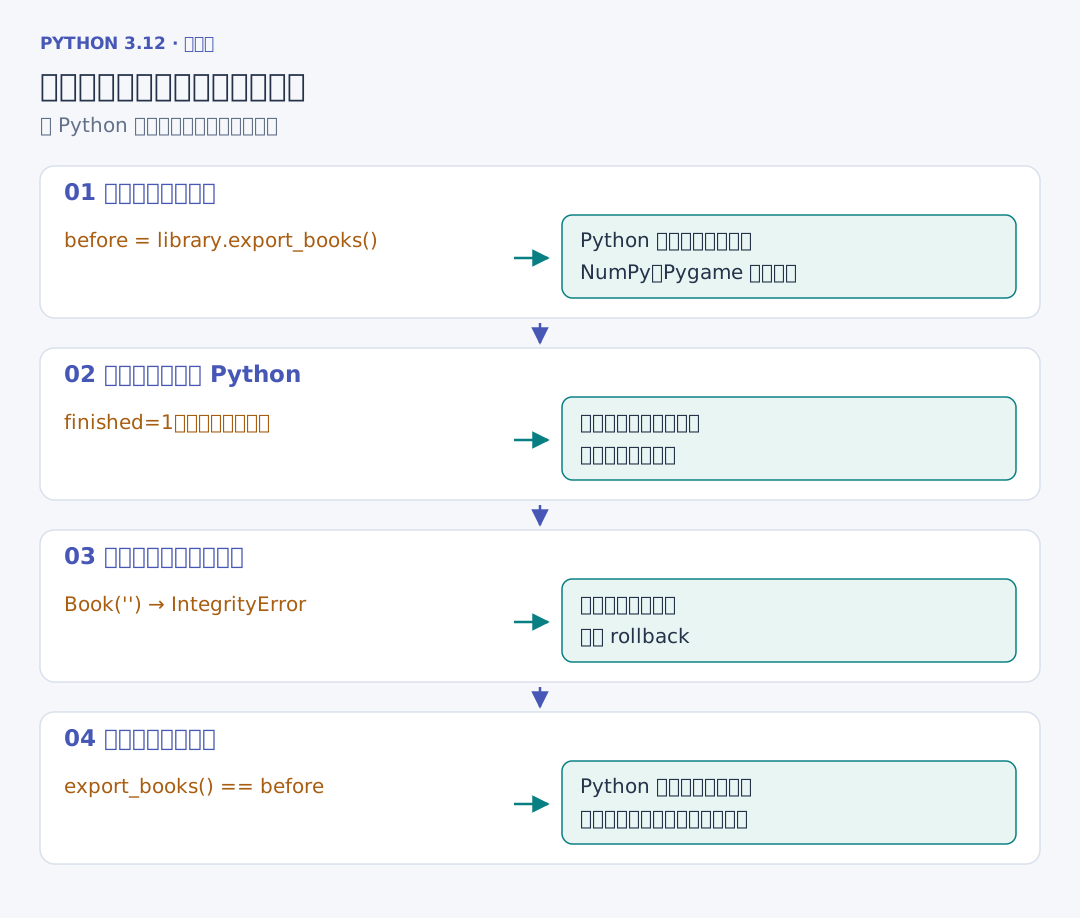
下面两项接在同一个测试文件中。第一项在一批导入里先改 Python 的状态与标签,再触发空标题约束。比较导入前后的书目,而不只检查抛出了哪类异常:
# 续写同一文件:quality_project/tests/integration/test_library.py
# 约束失败应撤回本批所有修改,连接也应能继续执行查询。
def test_failed_batch_rolls_back(library):
    before = library.export_books()
    with pytest.raises(sqlite3.IntegrityError):
        library.import_books([Book("Python", True, ["被撤回"]), Book("")])
    assert library.export_books() == before
    assert [row["title"] for row in library.search()] == ["Python", "NumPy", "Pygame"]


def test_commit_survives_close_and_connection_is_closed(tmp_path):
    path = tmp_path / "library.sqlite3"
    with Library(path) as first:
        first.import_books([Book("Python")])
        first.record_reading("Python", date(2026, 10, 19), 20)
    with pytest.raises(sqlite3.ProgrammingError):
        first.connection.execute("SELECT 1")
    with Library(path) as second:
        row = second.search()[0]
        assert (row["title"], row["total"]) == ("Python", 20)
Book("") 在这里直接进入数据库方法,用来触发真实的数据库约束;文件导入时,记录校验会更早拦住这份数据。第一项因此检查数据库事务,格式检查另有自己的测试。
第二项同时核对关闭动作与已提交内容。读到同一个 Python 对象的字段,不能说明数据已经落进数据库;关闭后重新打开同一路径,才会走到恢复过程。后面的命令行测试再把它扩展到两次独立进程启动。