(二十二)使用 OpenAPI 页面完成一次操作
1. 沿实际请求试用接口
FastAPI 根据路径、方法、参数和模型生成 /openapi.json。/docs 用 Swagger UI 展示这些内容,并提供 Try it out;/redoc 提供另一种阅读页面。打开 API 文档并不会自动登录。
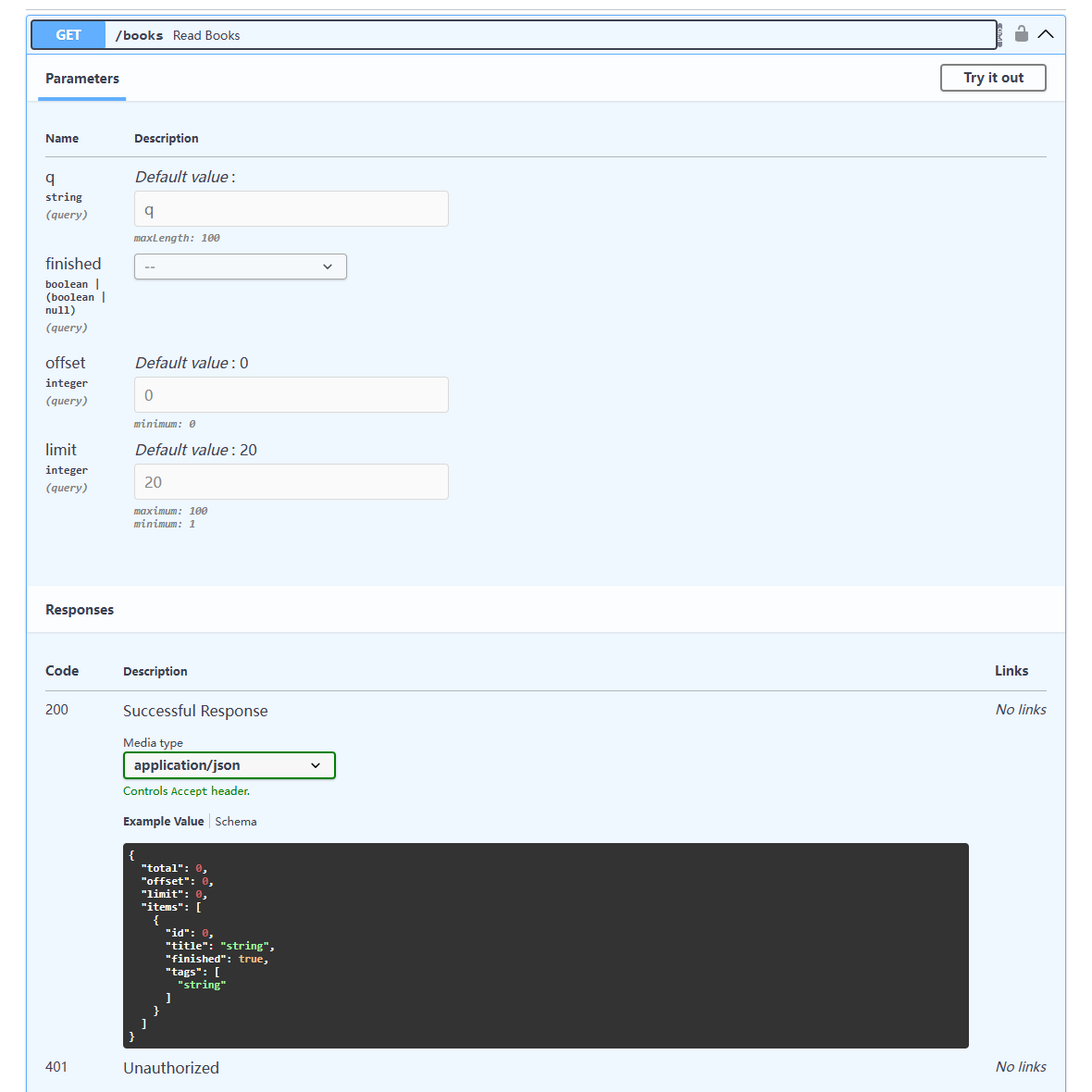
- 展开
POST /auth/login,选择Try it out,填写 alice 的用户名和密码,执行后取得access_token。 - 点击页面的
Authorize,在 HTTPBearer 输入框中粘贴令牌文本。界面负责在后续请求添加Authorization: Bearer ...。 - 执行
GET /books,确认 alice 有六本书;输入finished=false、offset=1、limit=2,核对得到编号3、4。 - 执行
POST /books新增《Python Web》,查看201、正文编号和Location;按该编号读取。 - 用
PATCH提交{"finished":true},再用GET查看状态;用 bob 的令牌尝试修改同一编号,观察403。 - 切回 alice 删除新增记录,观察
204;再次读取得到404,最后退出登录,旧令牌再读取得到401。
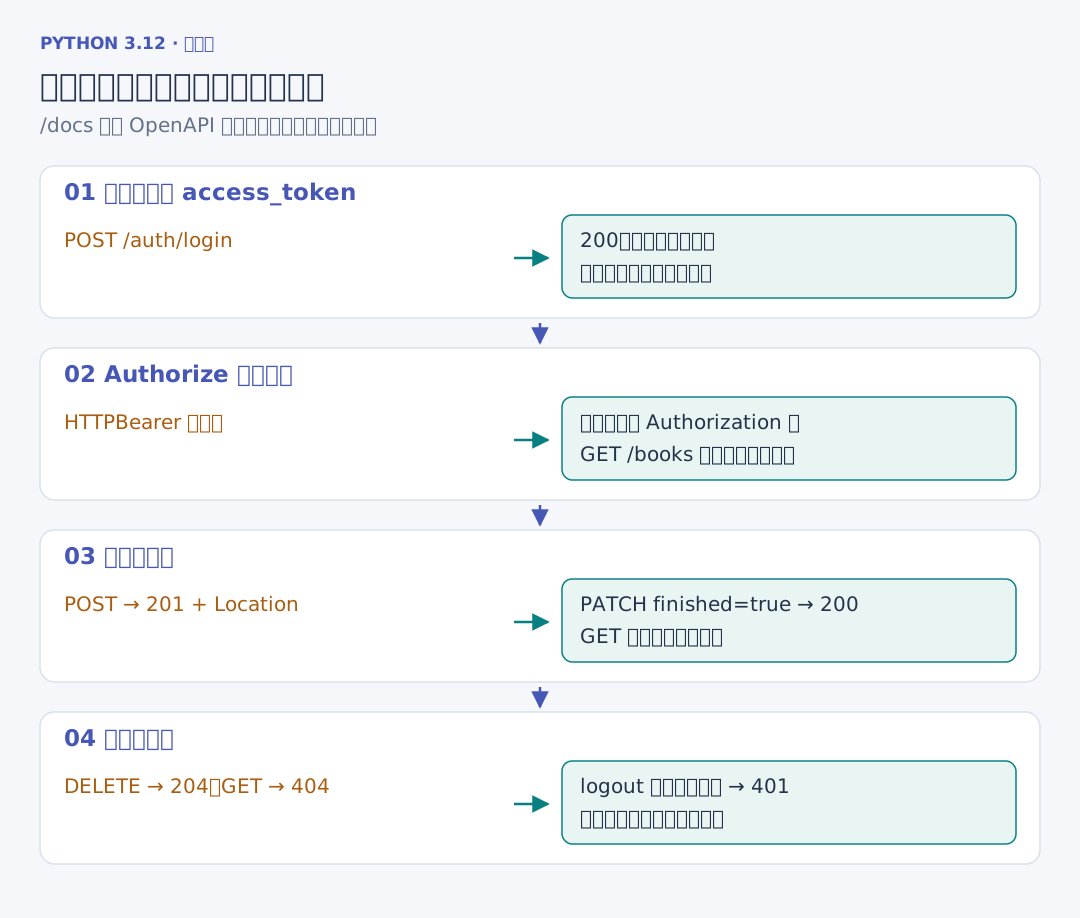
令牌输入在接口页面的运行状态中,截图与提交记录里只保留状态和公开结果。页面上的请求 URL、响应头与 JSON 能直接和上一章的 Network 请求对应。
2. 在 Python 中重复同一条链
完整的临时数据库演示如下。它退出第一个应用后重新创建应用,再核对数据、令牌和删除结果。
# 项目文件:demos/api_walkthrough.py
from pathlib import Path
from tempfile import TemporaryDirectory

from fastapi.testclient import TestClient

from bookapi.app import create_app
from bookapi.config import Settings

with TemporaryDirectory() as folder:
    settings = Settings(Path(folder) / "books.sqlite3")
    with TestClient(create_app(settings)) as client:
        credentials = {"username": "reader", "password": "learn-reader"}
        print("注册", client.post("/auth/register", json=credentials).status_code)
        token = client.post("/auth/login", json=credentials).json()["access_token"]
        headers = {"Authorization": f"Bearer {token}"}
        created = client.post("/books", headers=headers, json={"title": "Python Web"})
        location = created.headers["location"]
        print("新增", created.status_code, created.json())
        changed = client.patch(location, headers=headers, json={"finished": True})
        print("修改", changed.json()["finished"])
        exported = client.post("/exports", headers=headers)
        print(
            "导出",
            client.get(exported.headers["location"], headers=headers).json()["status"],
        )
    # 旧应用已退出;新应用打开同一文件,原令牌与记录仍保存在数据库中。
    with TestClient(create_app(settings)) as client:
        print("重开", client.get(location, headers=headers).json())
        print("删除", client.delete(location, headers=headers).status_code)
        print("再次读取", client.get(location, headers=headers).status_code)
# 演示使用临时文件,不改变当前服务的数据。
uv run python ../demos/api_walkthrough.py输出包含注册 201、新增 201、修改 True、导出 done;重开后仍能读取刚才的书,删除 204,再次读取 404。TestClient 在上下文进入与退出时执行 lifespan。后台任务也会在测试客户端返回控制权前执行完;真实浏览器能先收到 202,再用后续请求查询任务状态。