(十四)在页面脚本里读取 JSON
1. 浏览器中的异步请求
页面按钮需要在当前页面内读取或修改数据,可以用浏览器的 fetch。下面代码放在 app.js 中,由浏览器执行,异步写法与第八章 Python 中的 await 分别属于各自运行环境。
// 项目文件:web_project/src/webbook/static/app.js
// fetch交回响应,先看状态再读JSON;响应内容放入textContent,不作为HTML执行。
const output = document.querySelector("#api-output");
const statusLine = document.querySelector("#api-status");
const csrf = document.querySelector('meta[name="csrf-token"]').content;

async function requestJSON(url, options = {}) {
    const response = await fetch(url, {credentials: "same-origin", ...options});
    const value = await response.json();
    statusLine.textContent = `${options.method || "GET"} ${url} → ${response.status}`;
    output.textContent = JSON.stringify(value, null, 2);
    if (!response.ok)
        throw new Error(value.error || "请求未完成");
    return value;
}
const 声明这里不再重新绑定的名称;document.querySelector 按 CSS 选择器取得元素。meta 的 content 是令牌文本,后面用于写入请求头。
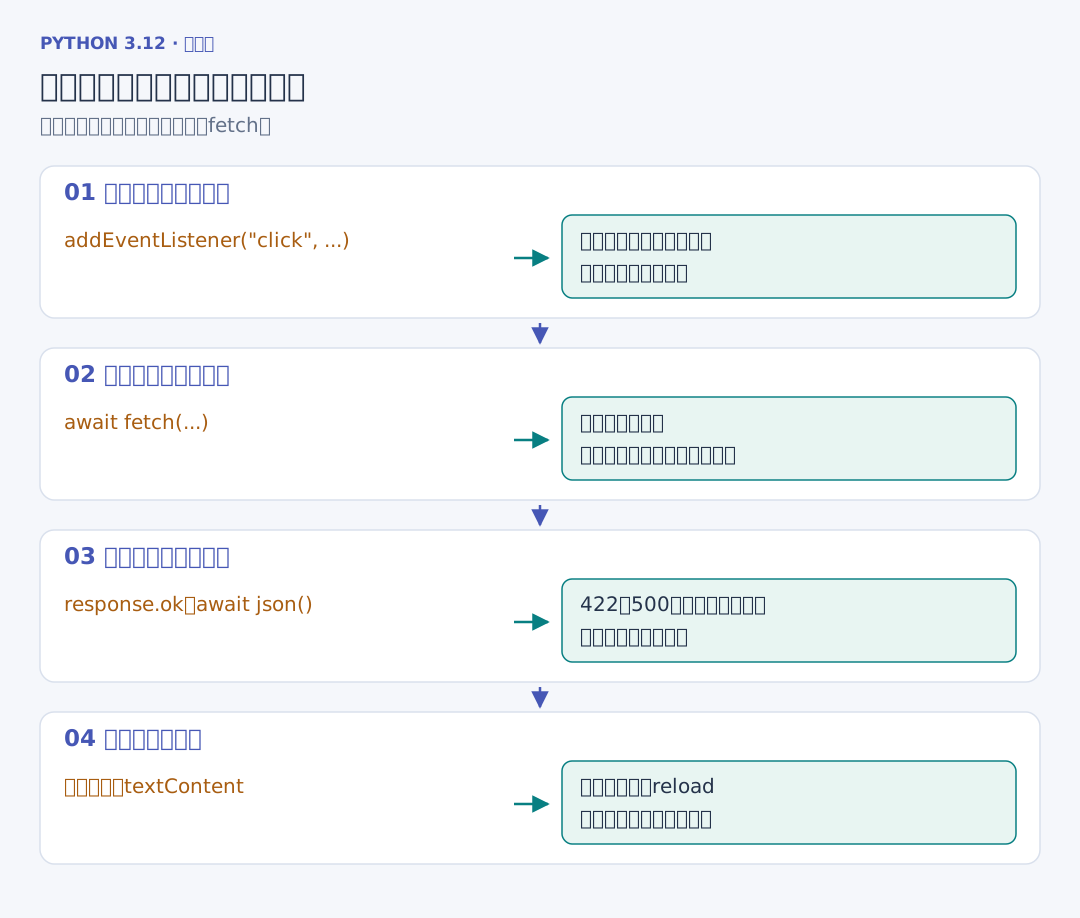
async function 声明异步函数。fetch 交回一个 Promise,await 等待响应;response.json() 再异步读取并解析正文。response.ok 检查状态是否在 200–299,网络成功返回一个 422 或 500 时,fetch 仍会交出响应对象,需要我们继续看状态。
{credentials:"same-origin",...options} 用 options 展开并覆盖默认配置,类似 Python 中合并字典。反引号字符串中的 ${表达式} 用于插入值;JSON.stringify 把数据变成便于阅读的文本。textContent 设置纯文本内容,页面不会把 API 返回的书名继续当作 HTML 解析。
2. 点击事件调用请求函数
这里 credentials 的 same-origin 对同源请求携带凭据,throw 抛出浏览器中的异常,catch 接住它;!response.ok 中的感叹号表示逻辑取反。
// 续写同一文件:web_project/src/webbook/static/app.js
document.querySelector("#load-api").addEventListener("click", async () => {
    try {
        await requestJSON("/api/books");
    } catch (error) {
        statusLine.textContent = error.message;
    }
});
addEventListener 注册点击回调,async () => {...} 是这里的异步箭头函数。用户点击后才发送请求,try/catch 显示错误,不会因为页面加载就反复读取。
// 续写同一文件:web_project/src/webbook/static/app.js
for (const button of document.querySelectorAll(".finish")) {
    button.addEventListener("click", async () => {
        button.disabled = true;
        try {
            await requestJSON(`/api/books/${button.dataset.id}/finish`, {
                method: "POST", headers: {"X-CSRF-Token": csrf}
            });
            location.reload();
        } catch (error) {
            statusLine.textContent = error.message;
            button.disabled = false;
        }
    });
}
querySelectorAll 取得所有待标记按钮。for...of 逐个注册事件,dataset.id 读取 HTML 中的 data-id;按下时先禁用按钮,发出 POST 并带上令牌,成功后 reload 重新取得服务器页面。失败时显示原因并恢复按钮。