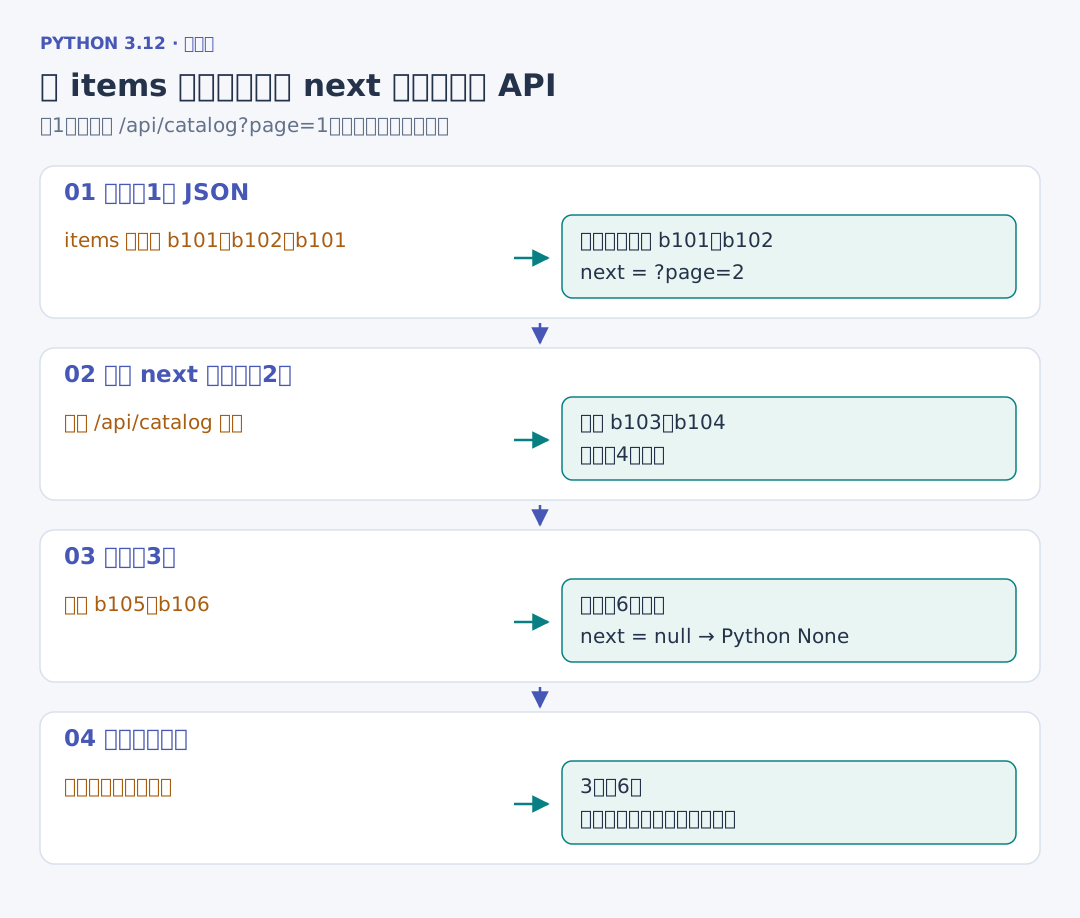
(十一)直接读取分页 JSON 接口
1. 用数据字段替代 HTML 选择器
练习站同时提供 /api/catalog?page=1,返回 items 列表与 next。字段已经结构化,可以直接取得编号和书名:
# 项目文件:demos/json_pages.py
# JSON 接口交回结构化字段,下一页查询仍相对于当前 API 地址补全。
import httpx
from crawlsite import running_site
from catalogcrawl.urls import normalized_url


if __name__ == "__main__":
    with running_site() as site, httpx.Client(timeout=1, trust_env=False) as client:
        url = site.base_url + "/api/catalog?page=1"
        seen, records = set(), {}
        while url is not None and url not in seen:
            response = client.get(url)
            response.raise_for_status()
            data = response.json()
            seen.add(url)
            for item in data["items"]:
                records.setdefault(item["id"], item["title"])
            url = (
                normalized_url(url, data["next"]) if data["next"] is not None else None
            )
        print(len(seen), "页", len(records), "本")
        print(list(records))
输出 3 页 6 本 和六个源站编号。items 中仍然有目录重复,JSON 并不会自动替采集器去重。next 的 ?page=2 相对于当前 /api/catalog 补全,因此继续读取 API,而不是误跳回 HTML 目录。
这个接口只提供卡片字段,没有 finished 和 tags;完整书籍仍需详情响应。选择数据来源时,先对照需要的字段,检查接口实际交回了什么,再决定哪些页面还要访问。