(七)鼠标点击与界面按钮
1. 在发生点击的位置判断按钮
# 项目文件:demos/mouse_ui.py
# 点击用事件中的当时坐标判断,悬停用当前坐标;一次左键按下只改变一次状态。
import pygame


def main():
    pygame.init()
    try:
        screen = pygame.display.set_mode((480, 320))
        clock = pygame.time.Clock()
        button = pygame.Rect(140, 130, 200, 60)
        selected, running = False, True
        while running:
            for event in pygame.event.get():
                if event.type == pygame.QUIT:
                    running = False
                elif event.type == pygame.MOUSEBUTTONDOWN and event.button == 1:
                    if button.collidepoint(event.pos):
                        selected = not selected
            if not running:
                break
            hover = button.collidepoint(pygame.mouse.get_pos())
            screen.fill("#F5F7FB")
            pygame.draw.rect(
                screen, "#087F82" if selected else "#4657B5", button, border_radius=12
            )
            if hover:
                pygame.draw.rect(
                    screen, "#A85D11", button.inflate(8, 8), 2, border_radius=14
                )
            pygame.display.flip()
            clock.tick(60)
    finally:
        pygame.quit()


if __name__ == "__main__":
    main()
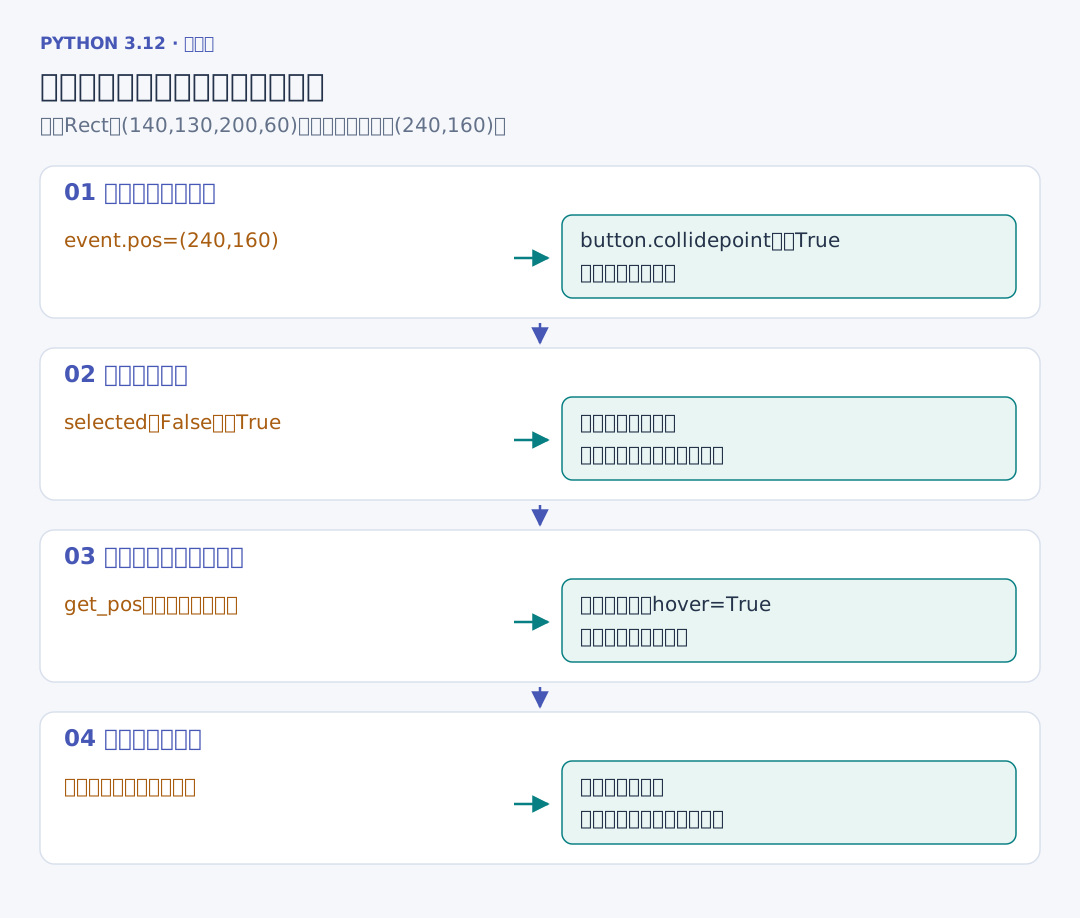
左键在按钮内按下时切换一次颜色;鼠标悬停时增加外框。点击判断使用 event.pos,它记录这次动作发生的位置;悬停使用 get_pos,观察当前鼠标所在的位置。
draw.rect 的第四个参数为线宽,示例中的 2 表示只画两像素宽的外框;省略或传 0 时填满内部。border_radius=12 让角部按 12 像素半径变圆。button.inflate(8, 8) 交回中心不变、宽高各增加 8 的新矩形,外框因此在每侧多伸出 4 像素,点击区域仍使用原按钮。
collidepoint 把“坐标是否位于按钮内”交给同一个 Rect 表达。事件中的 button == 1 表示这里响应左键。开始、继续与重开也可以把按钮的点击交给与键盘相同的状态动作,避免鼠标与键盘各维护一套游戏逻辑。