(十三)Sprite、Group 与显示对象管理
1. Sprite 的 image 与 rect
Sprite 可以把图像与位置组织成一个显示对象。Group 对成员调用 update,再根据各自的 image 和 rect 绘制:
# 项目文件:demos/sprite_groups.py
# Group更新各自成员并绘制;kill 从所有所属组移除,手中的Python引用仍然存在。
import pygame


class Tile(pygame.sprite.Sprite):
    def __init__(self, x):
        super().__init__()
        self.image = pygame.Surface((10, 10))
        self.image.fill("#087F82")
        self.rect = self.image.get_rect(topleft=(x, 0))

    def update(self, dx):
        self.rect.x += dx


first, second = Tile(10), Tile(30)
all_tiles = pygame.sprite.Group(first, second)
selected = pygame.sprite.Group(first)
all_tiles.update(5)
canvas = pygame.Surface((60, 20))
all_tiles.draw(canvas)
print(first.rect.x, second.rect.x, len(all_tiles), len(selected))
first.kill()
print(len(all_tiles), len(selected), first.alive())
print("引用仍可读", first.rect.x)
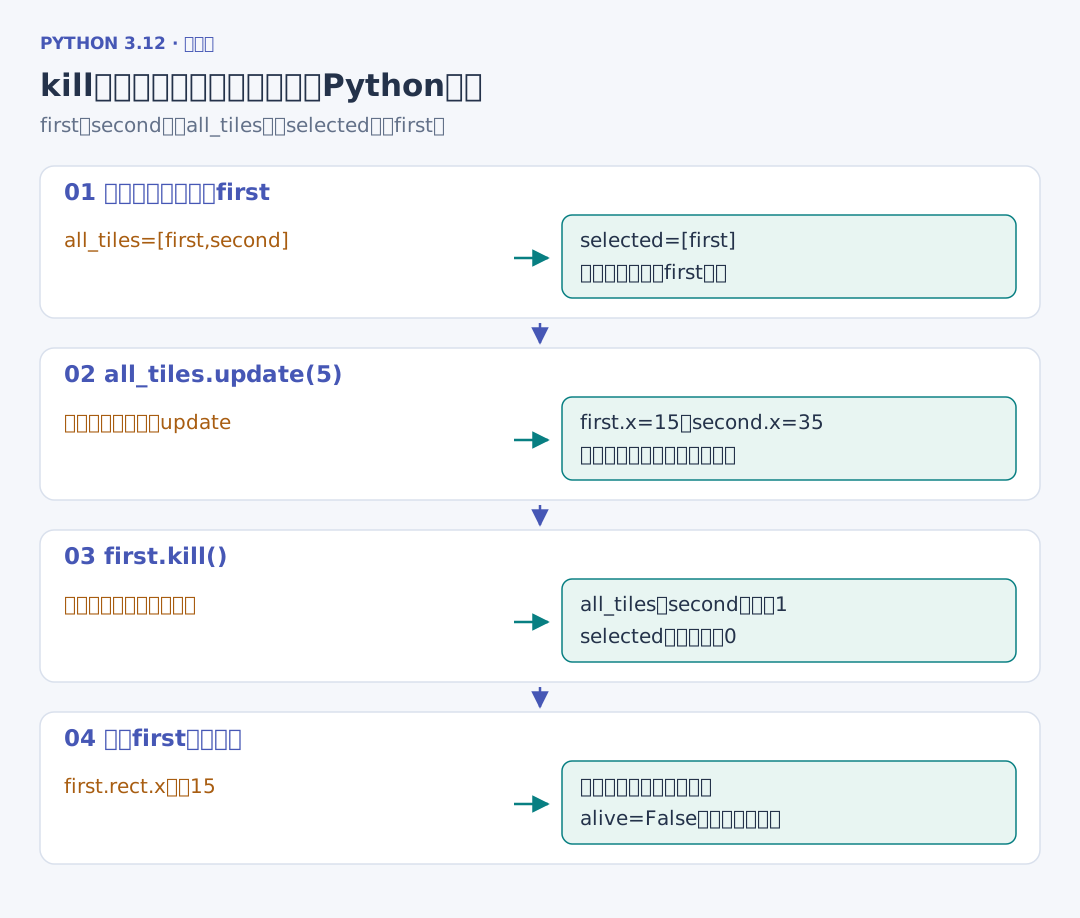
第一行得到 15 35 2 1。update 的参数传给每个成员,两个方块各向右移动 5;all_tiles 有两项,selected 有一项。随后 kill 让 first 从所有组移除,得到 1 0 False,但已有的 Python 引用仍可读取它的 x=15。Sprite 与 Group
Group 不会凭空产生移动规则:调用的 update 是我们写的方法。kill 管理的是组内成员关系,和把一个对象从所有 Python 引用中删除也不同。
2. 让精灵跟随已有坐标
前面的 position 用浮点 x、y 保存坐标,可以让 Sprite 从这样的坐标对象同步显示位置:
# 项目文件:dodge_project/src/dodgegame/sprites.py
# Sprite 只同步模型的位置与图像;Group 负责绘制,逻辑仍由 World 更新。
import pygame


class BodySprite(pygame.sprite.Sprite):
    def __init__(self, body, image):
        super().__init__()
        self.body = body
        self.image = image
        self.rect = image.get_rect()
        self.sync()

    def sync(self):
        self.rect.topleft = round(self.body.x), round(self.body.y)
body 保存坐标对象的引用,image 保存调用方交来的图像,sync 再从当前 x、y 更新整数 Rect。这里的职责是同步位置,没有在绘制过程中计算新的速度或位移。
接下来先建立游戏数据和更新方法,再把玩家与障碍接到这样的显示对象上。坐标更新与显示各自只有一个负责位置。