(二)用 HTTPX 连续读取页面
1. 同步客户端与连接复用
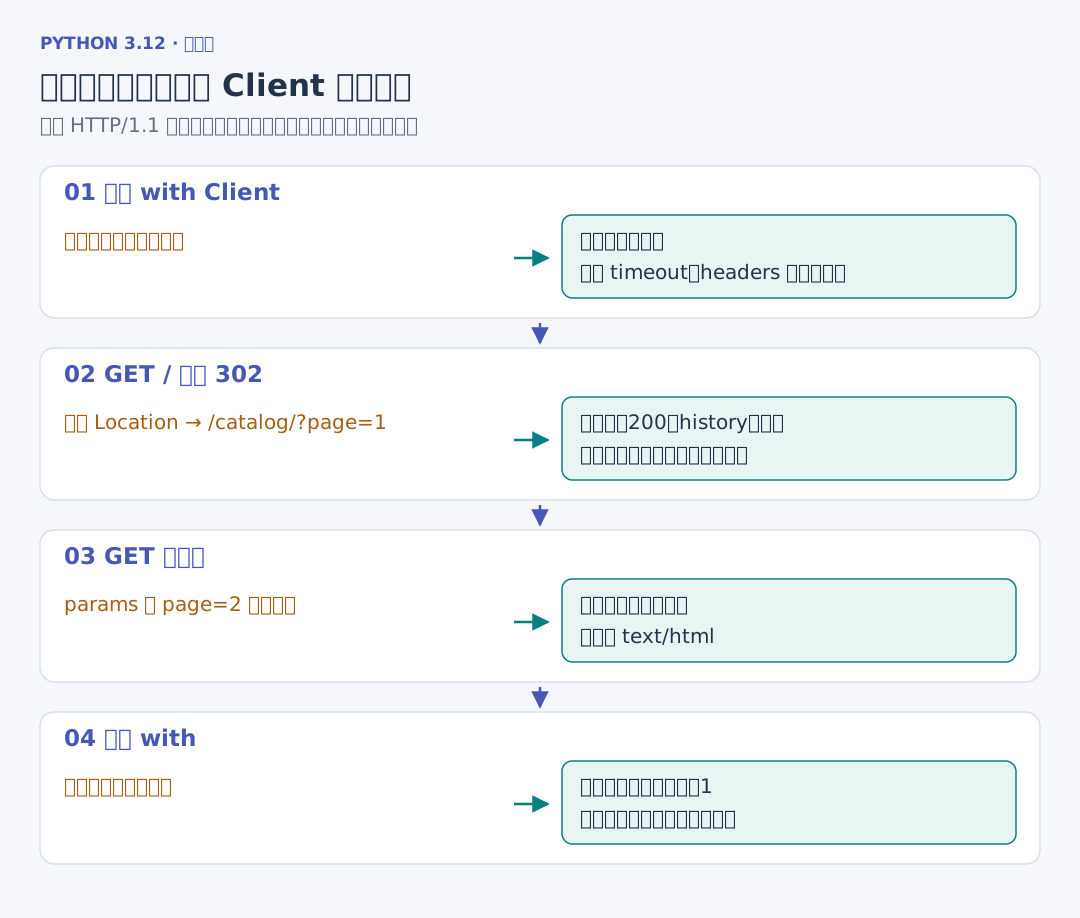
上一章用 AsyncClient 等待网络,本章先用同步的 Client 把一次读取过程看清楚。根地址返回 302,随后跳到目录;再通过查询参数选择第二页:
# 项目文件:demos/client_sync.py
# 一份 Client 连接连续读取,查询由 params 编码,重定向路径由 history 观察。
from urllib.parse import urlsplit

import httpx
from crawlsite import running_site


if __name__ == "__main__":
    with running_site() as site:
        with httpx.Client(
            base_url=site.base_url,
            timeout=1,
            follow_redirects=True,
            trust_env=False,
            headers={"User-Agent": "ReadingNotes/1.0"},
        ) as client:
            response = client.get("/")
            response.raise_for_status()
            print(
                response.status_code,
                urlsplit(str(response.url)).path,
                len(response.history),
            )
            response = client.get("/catalog/", params={"page": 2})
            response.raise_for_status()
            print(response.request.url.params["page"], response.headers["content-type"])
        print("连接数", site.state.connections)
输出 200 /catalog/ 1,然后是 2 text/html; charset=utf-8,最后的连接数为 1。第一次请求的 history 中保存了中间的 302 响应,response.url 指向最后取得响应的位置。params 把 page 放入查询,headers 提供本批请求共同使用的信息。
一份 Client 在使用范围内保留连接池、Cookie 与共同配置;这些连续请求复用了同一条本机连接。离开 with 后关闭客户端。不要在读取每一页的循环里重新建立整套 Client,否则这些请求就无法通过同一个池复用连接。HTTPX 客户端
2. 在解析之前观察响应
先调用 raise_for_status() 检查 HTTP 状态,再看 Content-Type 和正文。response.content 是字节,response.text 是解码后的字符串,response.json() 把 JSON 正文解析为 Python 数据。本章的目录返回 HTML,后面的 JSON 接口直接返回结构化字段,处理入口随正文而变。
HTTPX 的请求失败、状态错误与超时沿用上一章的分类。这里设置的 timeout=1 观察网络等待;整批任务还会在外层安排截止时间。页面布局变了导致选择器找不到字段,发生在解析阶段,后面会把这类错误单独反馈。HTTPX 响应接口